

You download a 100 MB game update, expecting it to finish in seconds. Twenty minutes later, you’re still waiting. The download bar filled quickly, but your game remains stuck in an endless installation loop. This frustration puzzles countless gamers who wonder why small patches take forever to apply. Game updates involve more than simple file downloads. They require complex disk operations, file verification, and space allocation that can slow the process dramatically. Understanding how updates work helps you manage expectations and optimize your gaming setup for faster installations.
Key takeaways
| Point | Details |
|---|---|
| Updates deliver improvements | Game updates fix bugs, add features, balance gameplay, and expand content to maintain quality. |
| Delta patching saves bandwidth | Only changed game data downloads, not entire files, reducing network usage significantly. |
| Disk operations slow installation | File copying and verification take time regardless of small download sizes. |
| Pre-allocation prevents corruption | Extra disk space reserves protect game files but temporarily double space requirements. |
| Understanding speeds up gaming | Knowing update mechanics helps optimize settings and reduce wait times. |
What is a game update? Understanding the basics
A game update modifies existing game files to improve your experience. Developers release updates to fix bugs that cause crashes or gameplay disruptions. They also introduce balance changes that make multiplayer matches fairer and more competitive. New features and content expansions keep games fresh and engaging for long-term players.
Updates serve multiple critical functions. Bug fixes address technical issues that affect stability and performance. Security patches protect against vulnerabilities that could compromise your system or account. Content additions provide new maps, characters, weapons, or story elements. Performance optimizations improve frame rates and reduce loading times.
Update frequency and size vary dramatically between games. Live service titles like Fortnite receive weekly updates with new content and balance tweaks. Single-player games might get occasional patches addressing specific issues. Massive multiplayer games often deliver seasonal updates exceeding several gigabytes. Understanding why gaming updates matter gameplay community 2026 helps you appreciate their role in maintaining game quality.
The update process begins when developers identify issues or plan new content. They test changes internally before releasing them to players. Some games offer beta testing programs where players try updates early and provide feedback. This collaborative approach ensures updates actually improve the gaming experience rather than introducing new problems.
Game updates differ from downloadable content (DLC). Updates are typically free and focus on fixes or improvements. DLC usually costs money and adds substantial new content like story campaigns or character packs. Both modify your game files, but updates maintain the core experience while DLC expands it.
How game updates work behind the scenes: the delta patching system
Delta patching revolutionized how games deliver updates efficiently. This system downloads only the data that changed between versions, not entire files. When a developer modifies a single texture in a 100 GB game, you download only a few megabytes instead of redownloading everything. This approach saves bandwidth and reduces server costs for game companies.
SteamPipe breaks game content into 1MB chunks and downloads only changed chunks. Each game file gets divided into small segments that can be updated independently. When an update releases, Steam compares your local chunks with the new version. Only mismatched chunks download, dramatically reducing data transfer.
The delta patching process follows specific steps:
- Steam analyzes which file chunks changed in the update
- Your client downloads only the modified chunks from Steam servers
- The system verifies downloaded chunks match expected checksums
- Modified chunks replace old versions in your game files
- The game manifest updates to reflect the new version
Consider a practical example. A 100 GB shooter game receives a weapon balance patch changing damage values in configuration files. The actual changed data might total only 5 MB. Delta patching downloads just those 5 MB instead of forcing you to redownload weapon models, textures, or sound files that didn’t change.
| Update Type | Traditional Download | Delta Patching |
|---|---|---|
| Texture modification | 2 GB | 50 MB |
| Balance patch | 500 MB | 5 MB |
| Map addition | 5 GB | 800 MB |
| Bug fix | 1 GB | 10 MB |
This efficiency benefits everyone. Gamers with limited bandwidth can update faster. Developers reduce server costs by transmitting less data. The gaming community stays current without excessive waiting. However, this system introduces complexity in how updates apply to your system.
Pro Tip: Let updates complete fully before launching your game. Interrupting the patching process can corrupt files, forcing a complete redownload that wastes far more time than waiting patiently.
The delta system works best with stable internet connections. Network interruptions during downloads can cause chunk verification failures. Stay updated gaming news helps you anticipate major updates and plan downloads during off-peak hours when your connection is most reliable.
Why game updates can be slow despite small downloads: pre-allocation and disk operations
Small downloads don’t guarantee quick installations. The bottleneck often occurs after downloading completes, during disk operations that apply changes to your game files. A 100 MB patch for a 100 GB game can take an hour because your hard drive must read, modify, and rewrite large portions of the game’s file structure.

Pre-allocation requires double disk space temporarily to prevent file corruption. Before downloading begins, Steam reserves space for both the current game version and the incoming update. This safety measure ensures that if something goes wrong during installation, your original game files remain intact and playable.
The disk-intensive process involves several operations:
- Reading existing game archive files from your drive
- Decompressing archives to access individual game assets
- Applying downloaded patches to specific files
- Recompressing modified archives with updated content
- Verifying file integrity through checksum validation
Hard disk drives (HDDs) struggle with these operations more than solid-state drives (SSDs). HDDs use mechanical parts that must physically move to different disk locations. Reading a 100 GB game file requires the drive head to traverse the entire platter multiple times. SSDs access data electronically, completing the same operations ten times faster.
Game updates perform extensive read and write operations that stress your storage device more than simple file copying. The update process must maintain file integrity while modifying compressed archives, explaining why a small patch can monopolize your disk for extended periods.
Temporary file creation adds another layer of complexity. Steam creates backup copies of critical files before modifying them. If the update fails, these backups restore your game to its previous working state. This safety feature requires additional disk space and read/write cycles that extend installation time.
Pro Tip: Free up at least 20% of your drive space before major updates. Drives perform faster with available space, and you’ll avoid installation failures caused by insufficient room for temporary files and pre-allocation.
Different games use varying compression methods that affect update speed. Highly compressed archives save disk space but require more processing power to decompress and recompress during updates. Less compressed games update faster but occupy more storage. Understanding why gaming updates matter gameplay community 2026 includes recognizing these technical tradeoffs developers make.
Background processes also impact update speed. Antivirus software scanning each modified file can double installation time. Disk defragmentation running simultaneously competes for drive resources. Close unnecessary programs during updates to allocate maximum system resources to the installation process.
The impact of updates on gameplay and why they matter to gamers
Game updates directly enhance your playing experience in measurable ways. Bug fixes eliminate frustrating crashes that interrupt intense gaming sessions. You’ve probably experienced a game freezing during a crucial multiplayer match or story climax. Updates address these stability issues, making games more reliable and enjoyable.
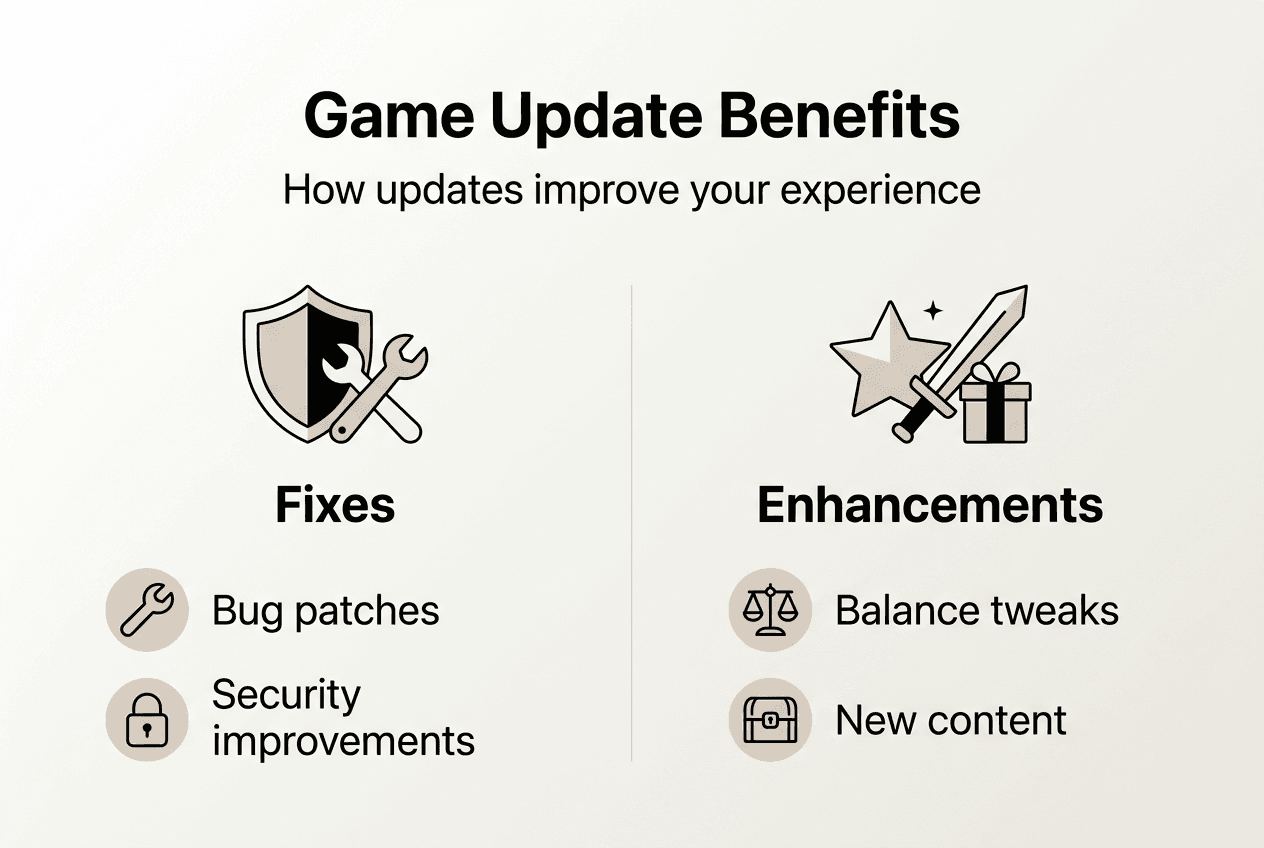
Balance patches transform competitive gameplay dynamics. When one weapon dominates matches, skilled play becomes less important than simply using the overpowered tool. Developers analyze gameplay data and community feedback to adjust damage values, fire rates, or ability cooldowns. These tweaks restore strategic depth and reward player skill over exploitation.
New content keeps games feeling fresh years after release. Seasonal events introduce limited-time modes and rewards that give you reasons to return. Map additions provide new environments to explore and master. Character releases expand tactical options in team-based games. This ongoing content stream maintains active player communities.
Performance improvements make games run smoother on your hardware. Optimization updates reduce CPU usage, increase frame rates, and decrease loading times. Graphics enhancements leverage new GPU features to improve visual quality without requiring hardware upgrades. These technical refinements extend your gaming hardware’s useful lifespan.
| Update Type | Before Update | After Update |
|---|---|---|
| Bug fix | Random crashes every 30 minutes | Stable 4-hour sessions |
| Balance patch | 80% players use one weapon | Diverse weapon usage across matches |
| Performance update | 45 FPS average on medium settings | 60 FPS average on high settings |
| Content expansion | 10 maps in rotation | 15 maps with new gameplay modes |
Security updates protect your account and personal information. Hackers constantly search for vulnerabilities in online games to steal credentials or inject malicious code. Developers patch these security holes as they’re discovered. Ignoring updates leaves you exposed to threats that could compromise your gaming account or entire system.
Community health depends on everyone staying current. Multiplayer games often prevent outdated clients from connecting to servers. This requirement ensures all players experience the same balanced gameplay and have access to identical features. Skipping updates isolates you from friends and shrinks your available player pool.
Some updates address accessibility features that help more players enjoy games. Colorblind modes make visual information clearer. Customizable control schemes accommodate different physical abilities. Text-to-speech options assist players with visual impairments. These improvements demonstrate how updates serve the entire gaming community.
Explore more gaming insights and tools at PCMobileGames
PCMobileGames offers comprehensive resources for gamers seeking deeper knowledge about updates and gaming technology. Our platform provides detailed guides explaining why gaming updates matter gameplay community 2026, helping you understand the broader impact of patches on your favorite titles. We cover everything from update mechanics to community management strategies that keep games thriving.
Explore our hardware section to learn what is gaming hardware 2026 guide and discover how your PC or mobile device components affect update installation speed. Understanding the relationship between storage types, processors, and update performance helps you make informed upgrade decisions. Our expert reviews and comparisons guide you toward hardware that optimizes your entire gaming experience.
Stay connected with our gaming community through regular news updates, strategy guides, and expert tips.
What is a game update?
What does a game update usually include?
Game updates typically include bug fixes that resolve crashes and gameplay issues, balance changes that adjust character abilities or weapon stats, and security patches protecting against vulnerabilities. Many updates add new content like maps, characters, or seasonal events. Performance optimizations improve frame rates and reduce loading times across different hardware configurations.
Why do updates sometimes take so long to install?
Updates take time because of disk operations, not just download size. Your system must read existing game files, apply patches, recompress archives, and verify file integrity. Pre-allocation reserves extra disk space to prevent corruption, temporarily doubling space requirements. Hard disk drives perform these operations much slower than solid-state drives, extending installation time significantly.
How can I reduce update time on my PC or mobile?
Upgrade to an SSD for dramatically faster update installations compared to traditional hard drives. Free up at least 20% of your drive space before updates to improve performance. Close background programs, especially antivirus software, during installations. Schedule updates during off-peak hours when your internet connection is fastest and most stable.
Are game updates safe for my saved data?
Game updates are designed to preserve your saved data and progress. Developers test updates extensively to avoid corrupting save files. Steam and most platforms create backup copies before modifying game files, allowing restoration if problems occur. However, always back up important saves manually before major updates as an extra precaution against rare technical failures.
Do all games use delta patching for updates?
Most modern PC and console games use delta patching to reduce bandwidth usage and update times. Steam, Epic Games Store, PlayStation Network, and Xbox Live all implement versions of this technology. Some mobile games and older titles still download complete files instead of changed chunks. The specific implementation varies by platform and developer, but delta patching has become the industry standard for efficient updates.
Recommended
- Why gaming updates matter for gameplay in 2026
- What is gaming hardware? A 2026 guide for gamers
- Stay Updated on Gaming News: 60% More Coverage in 2026
Comments
0 comments

